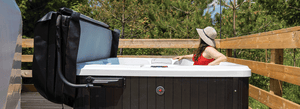


A Hot Tub for Everyone
Powerful, high quality features for an affordable price - Create your dream backyard today


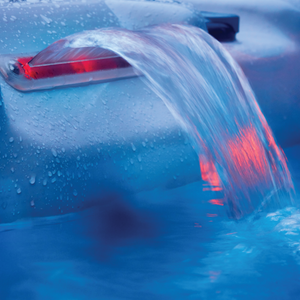
PURCHASE WITH CONFIDENCE
PURCHASE WITH CONFIDENCE
With our attention to excellence in design, in-house customer care, adapting and evolving and assurance through education, Canadian Spa Company is here to make sure you can purchase with confidence
With our attention to excellence in design, in-house customer care, adapting and evolving and assurance through education, Canadian Spa Company is here to make sure you can purchase with confidence
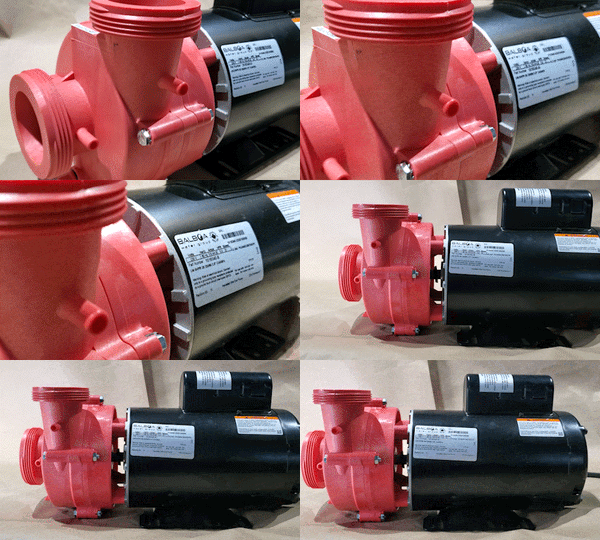
EXCELLENCE IN DESIGN
Our equipment beats industry standards because we want the best for our customers. We have true 5hp and 2hp pumps, oversized water intakes on our pumps for better efficiency, zero right angles in our plumbing for the best water flow and MORE!
THE BEST GETS BETTER HERE!
ADAPT & EVOLVE
We have been perfecting our assortment of spas over the last 40 years with an aim to carry models for every need.
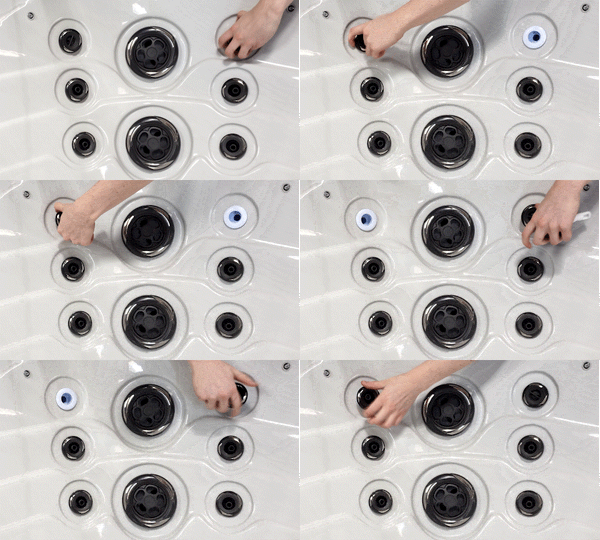
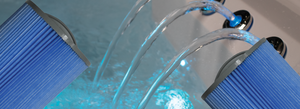
With every customer in mind, our hydrotherapy jets are made so you can customize each individual seat in your hot tub to be exactly what you need. Adjustable, interchangable, directional and rotational!

IN-HOUSE CUSTOMER CARE
Our service team will go above and beyond to make sure we can take care of you, Our ticket service is accessible 24 hours a day, 7 days a week from anywhere in the world





ASSURANCE THROUGH EDUCATION
We have a vast collection of resources to educate our customers on products and best practises
- See our manual and downloads resources
- Subscribe to our YouTube Channel to learn more about our products and features and see them in action

GLACIER AO₃P FILTRATION
Canadian Spa Company's Glacier AO₃P filtration system is leading the industry in having the cleanest water with the fewest amount of chemicals. We offer silver ions, antimicrobial technology, ozone generators and ultraviolet light to make sure your water is glacier pure!
Watch our videos below on Glacier Filtration, Ozone Generation and AO₃P to see how it works:
SHOP BY COLLECTION
OUR PARTNERS









Locations
Testimonials
I purchased an Ottawa spa and its been a great experience. But what really sets this company apart is their follow-up and after purchase service. Kayla provided me with a replacement piece for a broken arm to the spa cover lift. She was professional, positive, and willing to help me without hesitation. The product is important but the people make the difference. My son will soon be purchasing a hot tub and he’s going to buy it from Canadian Spa. Great company and great people!
Andrew Grant
Google Reviews
We purchased our hot tub two years back and have been extremely satisfied with the tub, and with the service provided by the company. We have had no issues with the tub, its operation, other than a couple of pillows that wore more quickly than expected. We contacted the company and in no time, the issue was fixed. Great people to deal with. They take the satisfaction of their customers seriously! I would recommend Great Canadian Spa to anyone seeking to purchase a hot tub. You will not be disappointed. As an aside, they have an excellent slate of instructional videos on YouTube that covers most aspects of setup, maintenance, and ongoing care.
Eric Nippard
Google Reviews
Recently purchased the Saskatoon tub for our backyard. We have a small area and required a tub that can fit, but we weren't interested in a cheap inflatable model. The Saskatoon fit our needs to a tee! The price was reasonable, the power perfectly fine and size just right. We will eventually convert to 240v but even the plug option is very good and keeps the heat. Highly recommended for those looking for a great & affordable option
Adam
Google Reviews
Blog posts

Apr 17, 2024
Rain or Shine: Elevate Your Hot Tub Experience with Canadian Spa Company Gazebos

Mar 15, 2024
Got Spring Allergies? Steam them away with Hot Tubs and Saunas